features

Pick the features. We build the bot.

Every bot is set up around your server, with the pieces you need.

Try it right here.

This is a pretend Discord server. Type a slash command like /ticket, /rank or /verify, or tap a suggestion. Nothing is saved and nothing is sent anywhere.

  • / jumps to the message box
  • Pick a channel on the left to look around
  • Press Verify or open a ticket to see the buttons work
# general Try it
Server Workshop Bot BOT Today at 14:37
Welcome, Alex! Member
Server Rules
  1. Be kind.
  2. No spam.
  3. Have fun!

What your bot can do.

Tap a Try it chip to run that command in the demo above.

Tickets

Private support tickets with buttons, so members can reach your staff.

Moderation

Warns, mutes, bans and a chat filter to keep your server safe.

/mod ban user

Welcome Messages

Greet new members with custom messages.

Rules & Verification

Post your rules and have new members verify before they can chat.

Roles

Auto-roles for new members and roles set up for your server.

/role add Member

Levels & Ranks

Members earn XP for chatting and get level roles as they rank up.

Giveaways

Run giveaways with a timer and random winners.

/giveaway start

Staff Applications & Logs

Collect staff applications and keep a log of moderation actions.

/apply

Custom Commands

Need something that isn’t listed? Add the commands you need for your community. Extra features are +$5 each.

See the bot in action.

Screenshots from a Server Workshop bot on Discord.
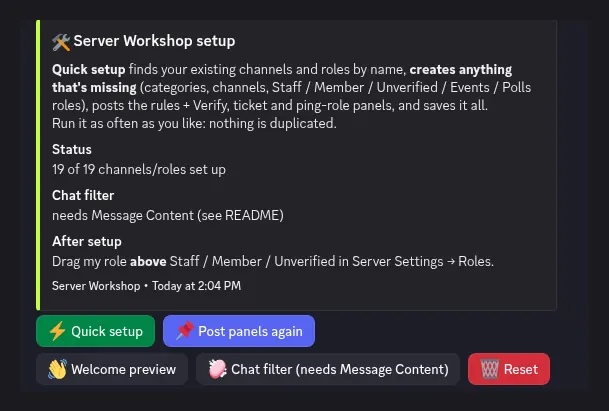
The Server Workshop setup menu in Discord, with Quick setup, Post panels again, Welcome preview, Chat filter and Reset buttons.
Setup menu The /setup menu, including Quick setup and buttons to post panels again. SetupChannelsRoles
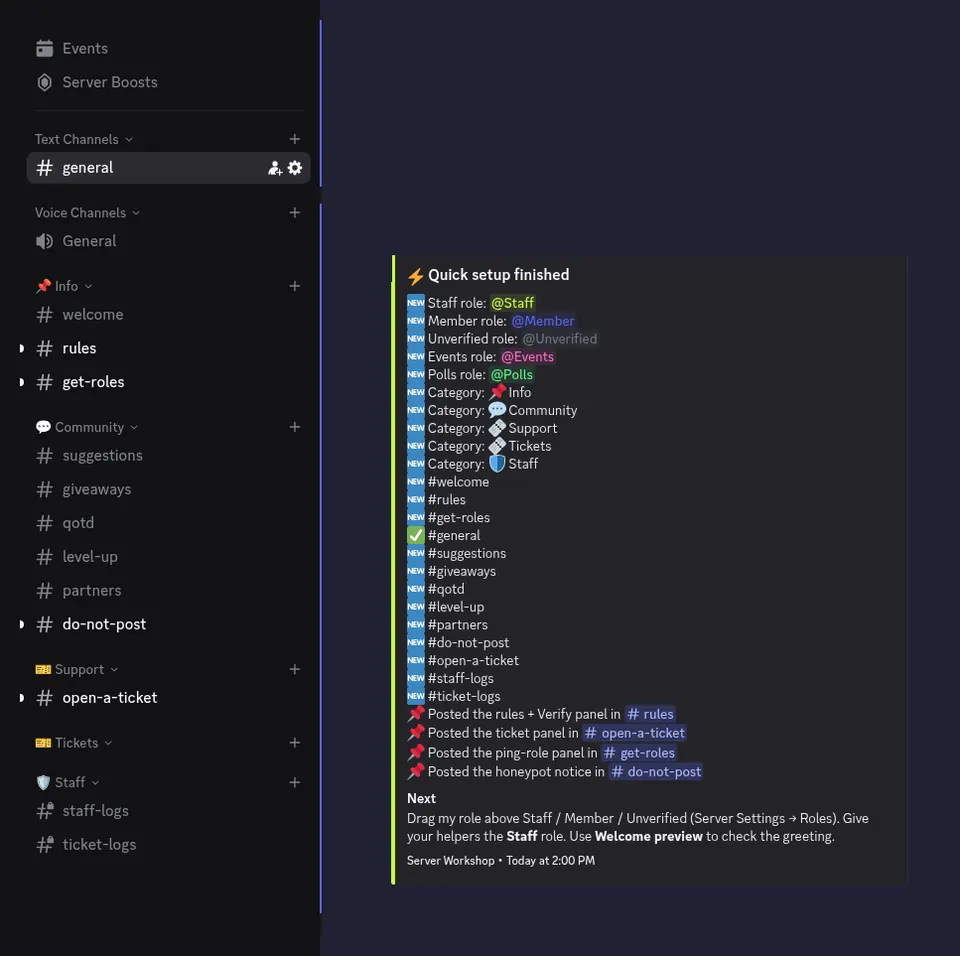
A Discord server sidebar and a Quick setup finished message listing new roles, categories and channels the bot created.
After quick setup Channels, roles and panels the bot can create for your server. ChannelsRolesPanels
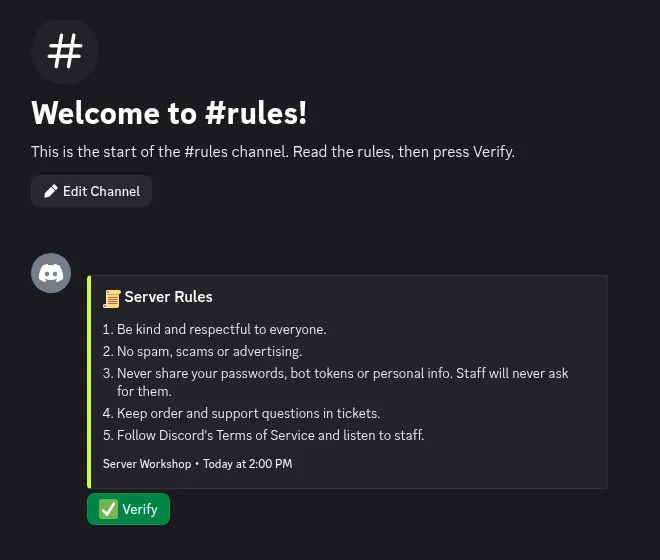
The #rules channel with a Server Rules message and a green Verify button.
Rules and verification The #rules channel with server rules and a Verify button. RulesVerification
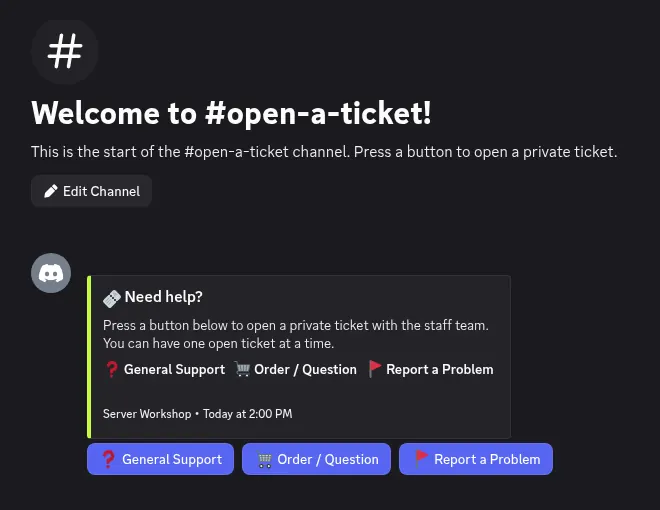
The #open-a-ticket channel with General Support, Order / Question and Report a Problem buttons.
Ticket panel The #open-a-ticket channel, where members press a button to open a private ticket. TicketsSupport
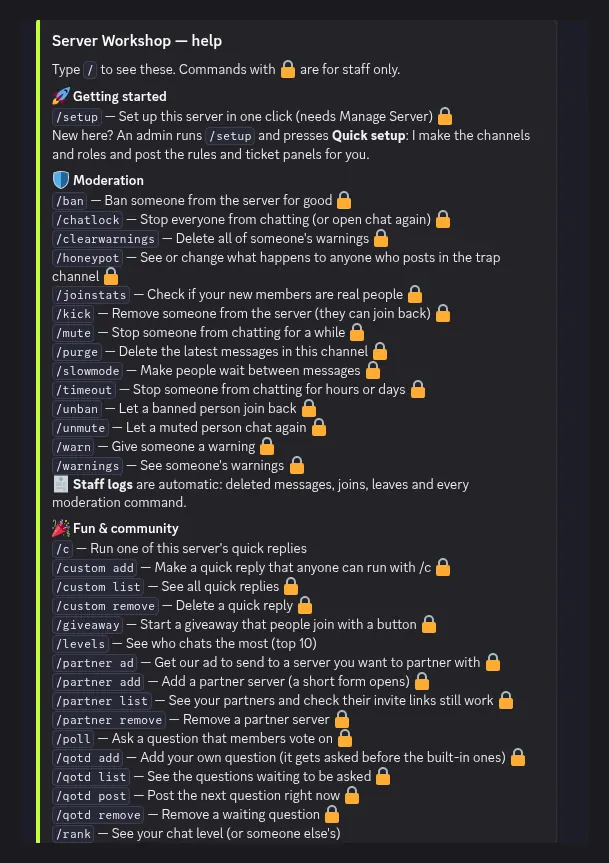
The /help command reply, listing getting started, moderation, and fun and community commands.
Help command The /help list of commands a Server Workshop bot can include. CommandsHelp
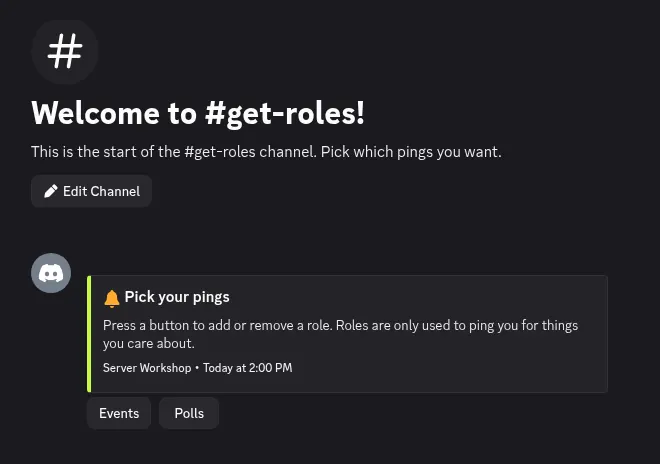
The #get-roles channel with a Pick your pings message and Events and Polls role buttons.
Get roles The #get-roles channel, where members press a button to pick ping roles. RolesPings